You can change View Mode in Plesk in the following way.
1. Log in to your Plesk account.
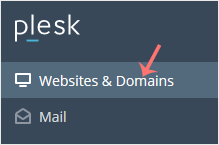
2. Click Websites & Domains from the Sidebar Menu.
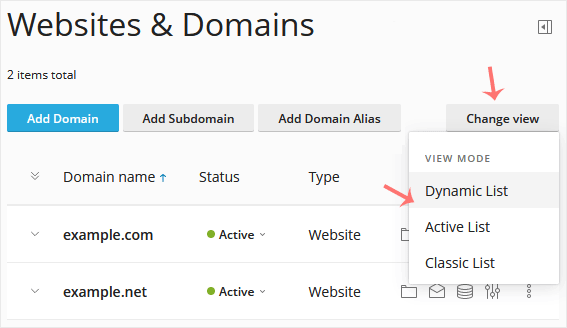
3. If the view mode is Dynamic List, click on Change View on the right side and switch to your preferred mode.
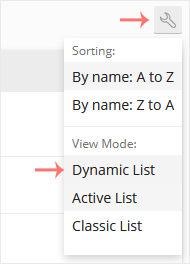
However, if the view mode is Active or Classic List, click on the wrench icon to change it.
A tutorial on how to access the Plesk Control Panel. After you place an...
1. Log in to your Plesk account. 2. Click on Files from the Sidebar Menu....
Follow these steps to change your Plesk account password. 1. Log in to...
Follow these steps to reset your Plesk account password. 1. Open your...
Follow these steps to change your Plesk contact email address. 1. Log...
