SiteWorx File Manager is handy for managing your website files.
1. Log in to your SiteWorx account.
2. In the File Manager section, click on File Manager.
3. If you have multiple domains, then choose the appropriate domain from the drop-down menu and click on Login.
4. Navigate to the directory where you want to create your file. For creating a file in the HTML directory, click on the HTML directory.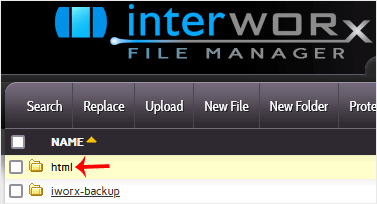
5. Click on New Folder.
6. Enter your directory name, such as images. Then click on Create.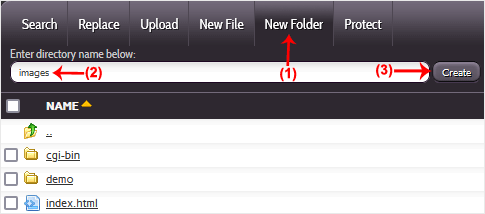
How to create a new file such as myfile.txt?
1. Click on the New File menu.
2. Enter your filename in the File Name field. Then click on Save.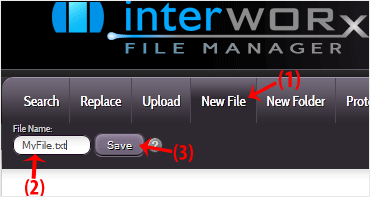
You can use SiteWorx's inbuilt file manager instead of an FTP program. 1....
You can use SiteWorx's inbuilt file manager to edit files on your website....
AWStats is an open-source web analytics tool. Follow the steps below to...
Webalizer is an open-source web analytics tool. Follow the steps below to...
You can change your SiteWorx email address by following the steps below. 1....
