1. Log in to your DirectAdmin Account.
2. In the Account Manager section, click on MySQL Management or type MySQL Management in the navigation filter box. The option will appear. Click on it.
3. From the list of databases, choose the database for which you want to create a user.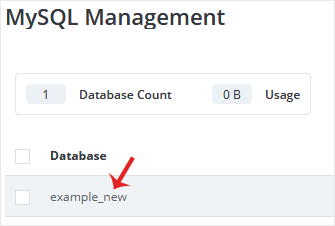
4. Under Users, click on Create New User.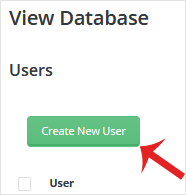
5. Enter your new username and password in the password field or click on the Generate Random Password icon to generate one. Continue with Create.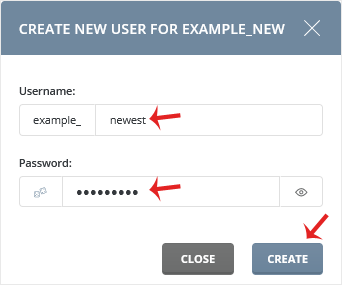
Please, copy the newly-created database user details to a safe place.
1. Log in to your DirectAdmin Account. 2. In the Account Manager section,...
1. Log in to your DirectAdmin Account. 2. In the Account Manager section,...
1. Log in to your DirectAdmin Account. 2. In the Account Manager section,...
1. Log in to your DirectAdmin Account. 2. In the Account Manager section,...
You can remove your database from the DirectAdmin control panel. However, we...
